Back


portree - Git Worktree Server Manager
A CLI tool that automatically manages multiple dev servers per git worktree with automatic port allocation, environment variable injection, and subdomain routing.
CLI Tool
Go
Git Worktree
TUI
Developer Tools
6 Feb, 2026
Overview
When working on multiple feature branches simultaneously using git worktrees, managing separate dev servers for each branch becomes tedious. You need to manually track ports, configure environment variables, and remember which server is running where.
portree solves this by automatically managing multiple dev servers per git worktree—with hash-based port allocation, environment variable injection, and *.localhost subdomain routing via a built-in reverse proxy.
The Problem
In a typical monorepo setup with frontend and backend services:
- Each worktree needs its own set of running services
- Port conflicts are common when running multiple branches
- Environment variables need to be configured for each instance
- Switching between branches means remembering which ports are allocated where
Features
- Multi-service support — Define frontend, backend, and any number of services per worktree
- Automatic port allocation — Hash-based port assignment (FNV32) ensures consistent, conflict-free ports across worktrees
- Subdomain reverse proxy — Access any worktree via
branch-name.localhost:<port>without editing/etc/hosts - Environment variable injection —
$PORT,$PT_BRANCH,$PT_BACKEND_URL, etc. are injected automatically - TUI dashboard — Interactive terminal UI to start, stop, restart, and monitor all services
- Process lifecycle management — Graceful shutdown, log files, and stale PID cleanup
- Per-worktree overrides — Customize commands, ports, and env vars per branch
Tech Stack
- Language: Go
- CLI Framework: Cobra
- TUI Framework: Bubble Tea + Lip Gloss
- Configuration: TOML
- Distribution: Homebrew, Go install, GitHub Releases (via GoReleaser)
How It Works
┌─────────────────────────────────────────────────────────────┐
│  git repository                                             │
│                                                             │
│  main worktree          feature/auth worktree               │
│  ┌───────────────┐      ┌───────────────┐                   │
│  │ frontend :3100│      │ frontend :3117│                   │
│  │ backend  :8100│      │ backend  :8104│                   │
│  └───────────────┘      └───────────────┘                   │
│         │                      │                            │
└─────────┼──────────────────────┼────────────────────────────┘
          │                      │
    ┌─────▼──────────────────────▼─────┐
    │     portree reverse proxy        │
    │                                  │
    │  :3000  ←  *.localhost:3000      │
    │  :8000  ←  *.localhost:8000      │
    └──────────────────────────────────┘
          │                      │
          ▼                      ▼
  main.localhost:3000    feature-auth.localhost:3000
  main.localhost:8000    feature-auth.localhost:8000
- Port allocation — Each service gets a port via
FNV32(branch:service) % range. Stable across restarts. - Process management — Services run as child processes with process groups. Logs go to
.portree/logs/. - Reverse proxy — One HTTP listener per
proxy_port. Routes based onHostheader subdomain. *.localhost— Modern browsers resolve*.localhostto127.0.0.1automatically per RFC 6761.
Usage
# Initialize in your project
portree init

# Start services for current worktree
portree up

# Start services for ALL worktrees
portree up --all

# Start the reverse proxy
portree proxy start

# Open the TUI dashboard
portree dash

# Check status
portree ls
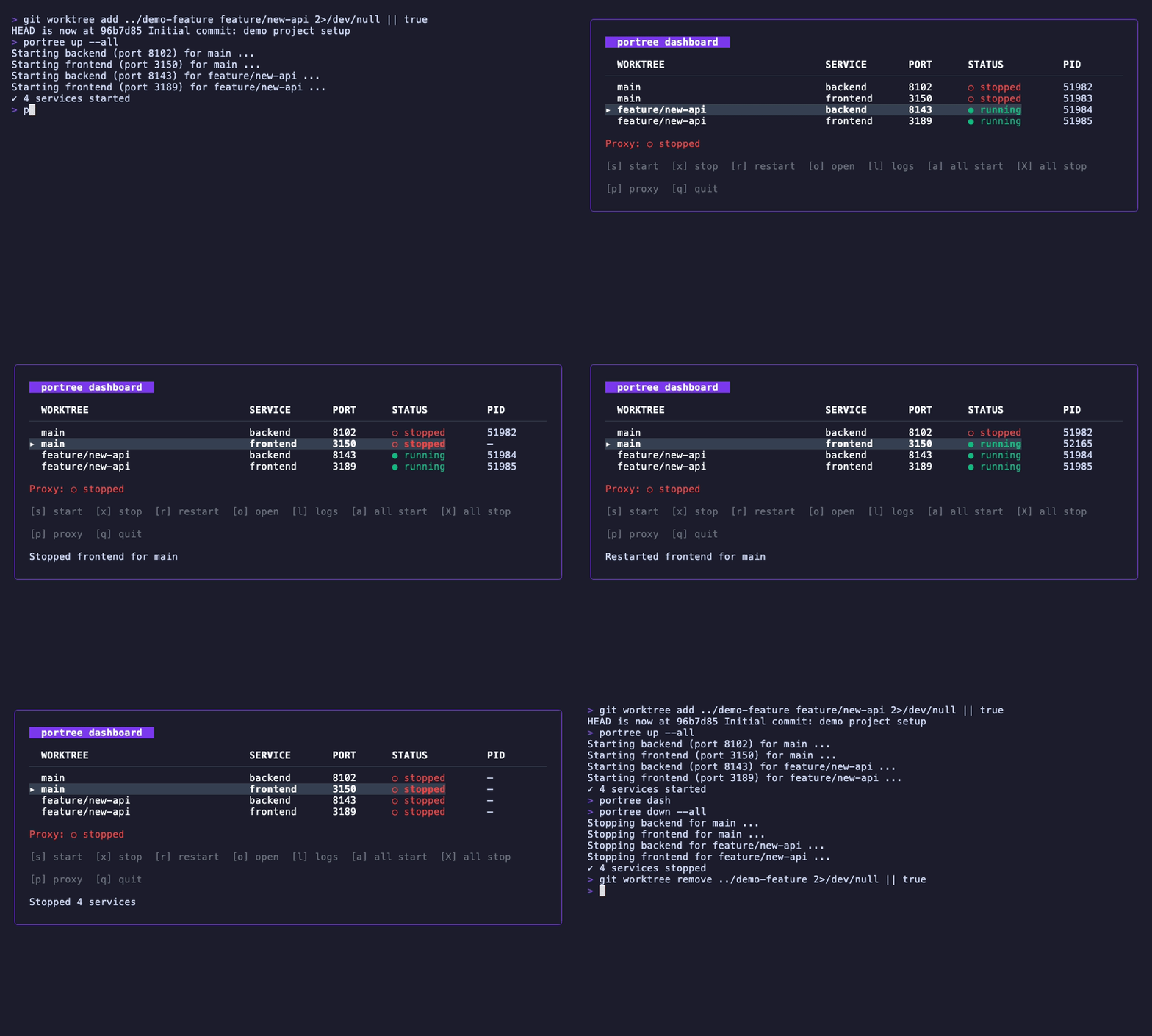
TUI Dashboard
Manage all your services from an interactive terminal UI:
Development Highlights
- Hash-based port allocation ensures the same branch always gets the same port, making URLs predictable and bookmarkable
- Automatic service discovery via environment variables (
PT_BACKEND_URL, etc.) allows services to find each other without hardcoded ports - File-level locking on the state file allows multiple portree instances to run safely
- Cross-platform support for macOS, Linux, and experimental Windows support
Links
- GitHub: https://github.com/fairy-pitta/portree
- Install:
brew install fairy-pitta/tap/portree
Gallery