Back
Code Annotator — Annotated Code Snippet Generator
Create beautiful, annotated code snippets for documentation, presentations, and teaching — entirely in the browser.
Web App
JavaScript
Cloudflare Workers
Prism.js
Canvas
22 Mar, 2026
Overview
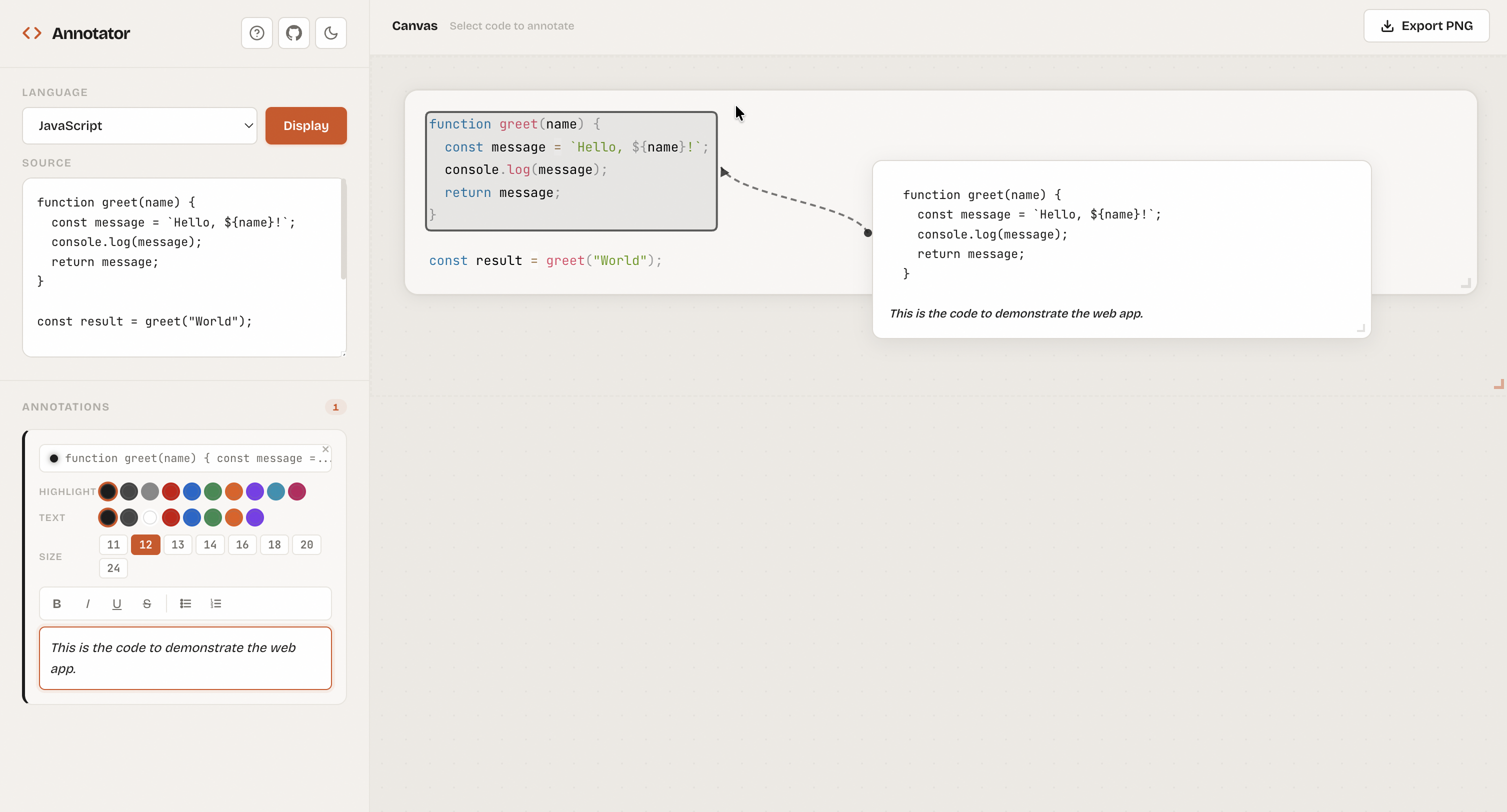
Code Annotator is a fully client-side tool for creating annotated code snippets. Select any text in your code, attach annotation cards with rich formatting, position them freely on a canvas, and export the result as a PNG — all without leaving the browser.
The Problem
Explaining code visually is surprisingly tedious:
- Screenshots lose syntax highlighting when annotated in image editors
- Presentation tools don't understand code formatting
- Existing annotation tools require server-side processing or subscriptions
- Combining syntax highlighting, arrows, and labels in one workflow is painful
I wanted a single tool where I paste code, select text, write annotations, and export — done.
Features
- Syntax Highlighting — 19 languages supported via Prism.js
- Text Selection Annotations — Select any text in your code to create annotation cards
- Rich Text Editing — Bold, italic, underline, strikethrough, and lists
- Customizable Styling — Highlight color, text color, and font size per annotation
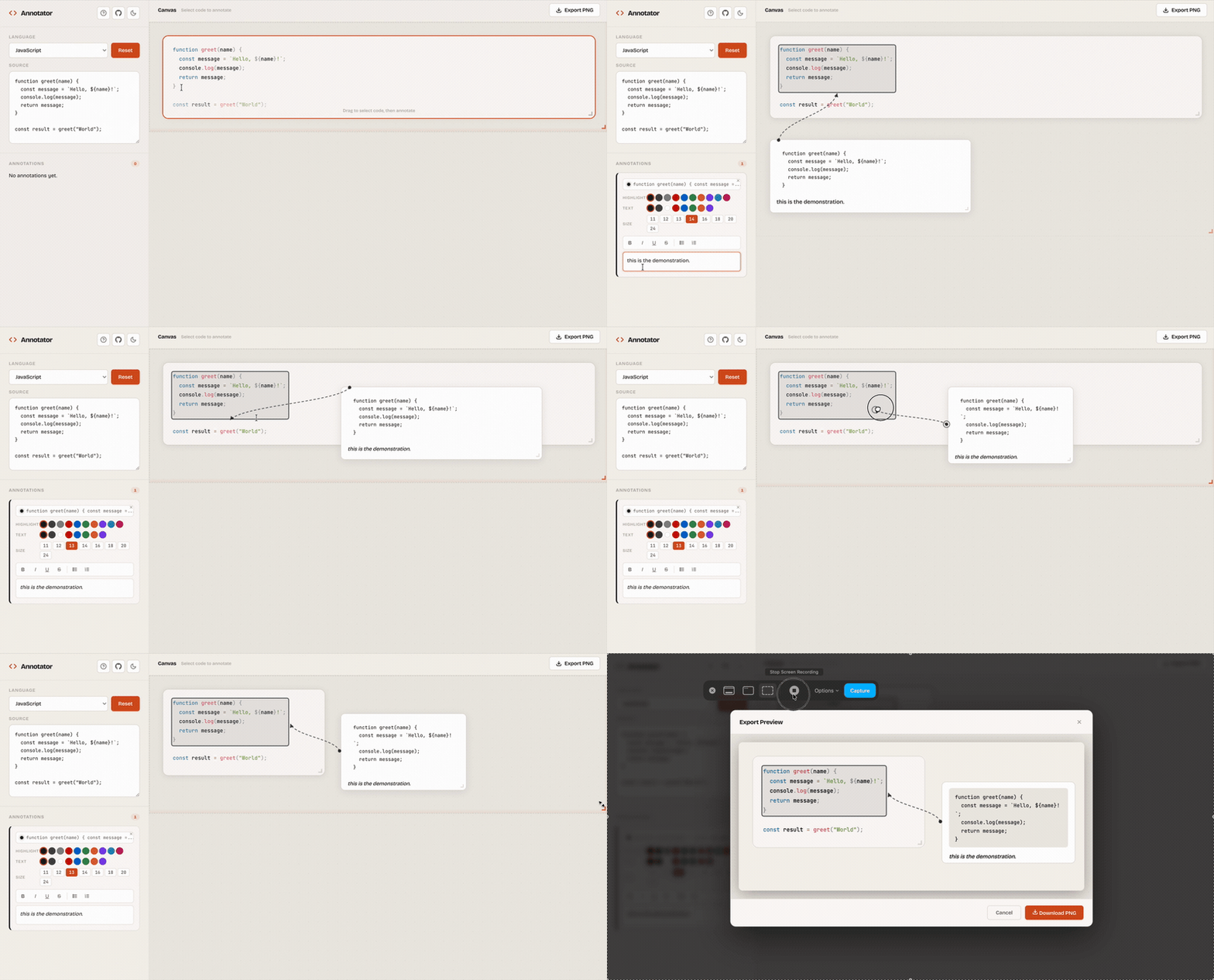
- Drag & Drop — Freely position annotation cards and arrows on the canvas
- Resizable Elements — Resize code block, annotation cards, and export area
- Dark / Light Theme — Toggle to match your preference
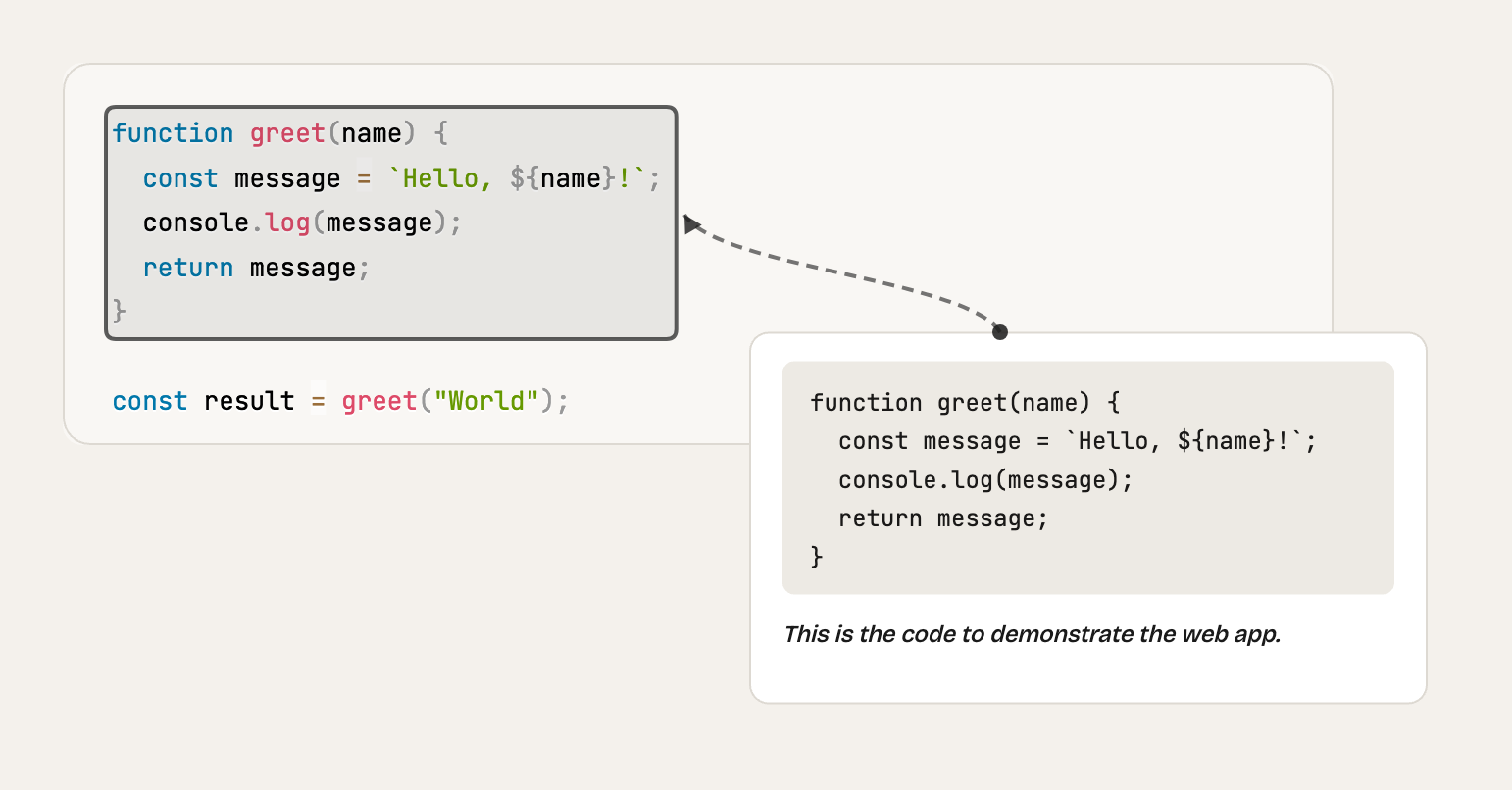
- PNG Export — Preview and download your annotated code as a PNG image
- Privacy First — Runs entirely in the browser; no data leaves your machine
Tech Stack
- Runtime: Cloudflare Workers
- Syntax Highlighting: Prism.js
- Rendering: HTML5 Canvas
- Rich Text: Custom editor with inline formatting
- Export: Canvas-to-PNG pipeline
How It Works
┌──────────────────────────────────────────┐
│  Code Input (Prism.js syntax highlight)  │
├──────────────────────────────────────────┤
│  Select text → Create annotation card    │
│  ┌────────────────┐                      │
│  │ Annotation     │◄── Rich text editor  │
│  │ with arrow     │    (bold, italic...) │
│  └────────────────┘                      │
├──────────────────────────────────────────┤
│  Canvas layer: drag, resize, position    │
├──────────────────────────────────────────┤
│  Export → PNG (client-side)              │
└──────────────────────────────────────────┘
- Paste or type code — Prism.js applies syntax highlighting for the selected language
- Select text — Highlight any span of code to anchor an annotation
- Write annotations — Rich text cards with customizable colors and arrows
- Arrange — Drag and resize everything on the canvas until it looks right
- Export — One-click PNG download at the resolution you need
Example Output
Design Decisions
- Zero backend — Everything runs client-side. No accounts, no uploads, no tracking
- Canvas-based export — Guarantees pixel-perfect output across browsers
- Cloudflare Workers deployment — Fast edge delivery with minimal infrastructure
Links
Gallery